skip to download ↓

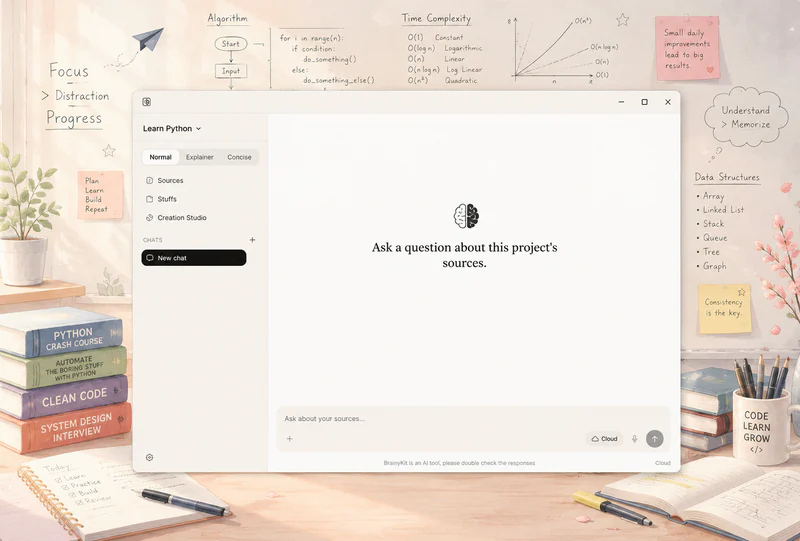
BrainyKit desktop app: a project window with its sources listed on the left and a prompt reading “Ask a question about this project’s sources” in the center
one window: your project’s sources on the left, questions in the middle

“The report projects 40% growth in Q3, driven primarily by the new product line.”

— an AI assistant, answering from memory

BrainyKit — answer

Revenue grew 12% in Q3, led by the services segment. [1] The growth follows the pricing change announced in June. [2] Two regions still missed their targets, citing supply delays. [3]

Q3-report.pdf

PDF · p. 14

… services revenue up 12.4% year-on-year …

Pricing update — company blog

Web page

… the new tiers take effect June 12 …

regional-targets.xlsx

Spreadsheet

… West 94% · North 91% — supply delays noted …

Ask a question. BrainyKit answers only from the documents you gave it —and every claim carries a citation you can click to see the exact passage.

If your sources don’t contain the answer, it says so.

Drop in files, paste text, or import a web page.BrainyKit reads it all into one searchable, citable workspace.
PDF
Word
Markdown
Plain text
CSV
Excel
Web pages
HTML files

The model runs locally. Your documents never leave your computer.
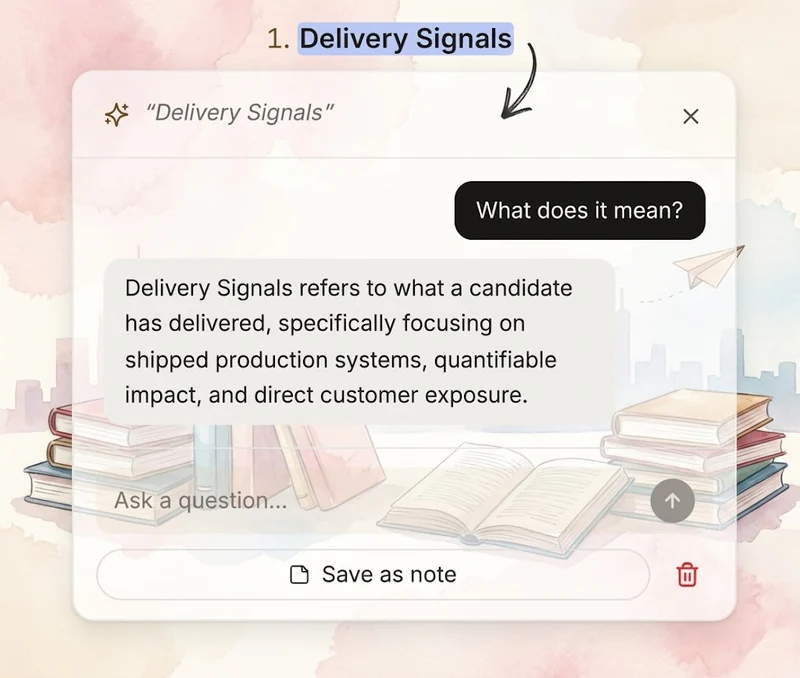
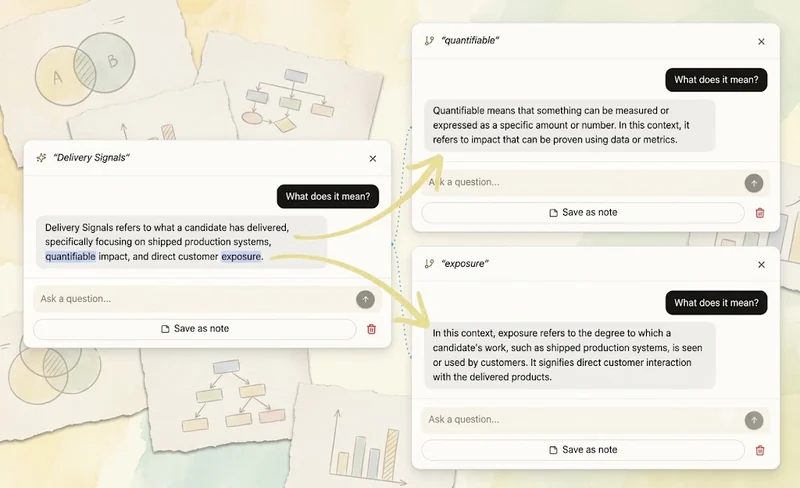
BrainyKit screenshot: “Delivery Signals” selected in an answer, with the ask-on-the-spot popup open explaining just that passage
select text in an answer — the ask-on-the-spot popup opens
select any passage → ask about just that
BrainyKit screenshot: an open branch tree with three conversation nodes connected by wires
the branch tree — three nodes, wires visible
Select a passage in any answer and ask a follow-up on the spot.Follow-ups branch into a tree you can walk back through —every tangent keeps its context, nothing gets lost in one long thread.
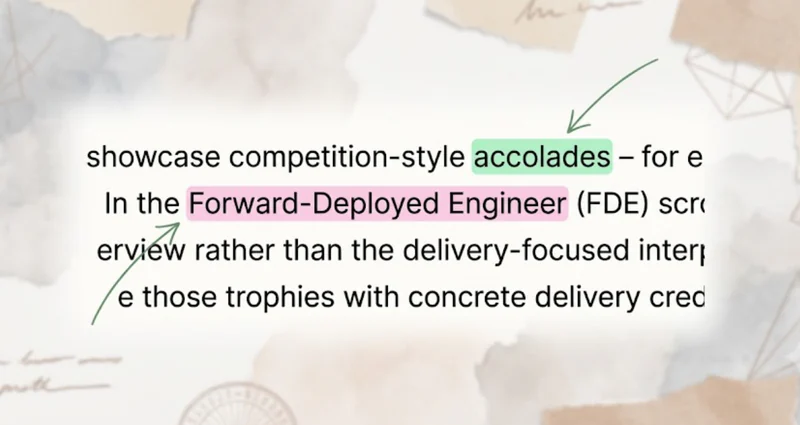
BrainyKit screenshot: an answer with two passages highlighted in different colors, green and pink
an answer with two colored highlights
highlights

Mark passages in color; your marks persist across sessions.
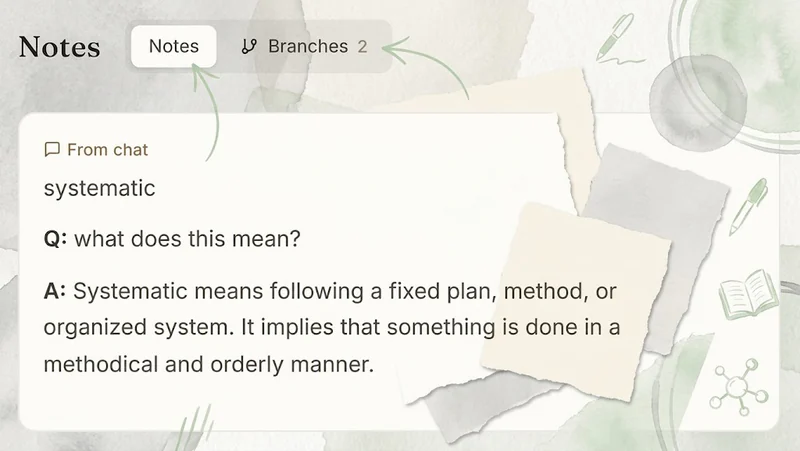
BrainyKit screenshot: the Notes panel with a saved answer from chat, next to a Branches tab
notes board — saved answers and branches
notes

Save any answer — or any branch of one — to a notes board, citations included.
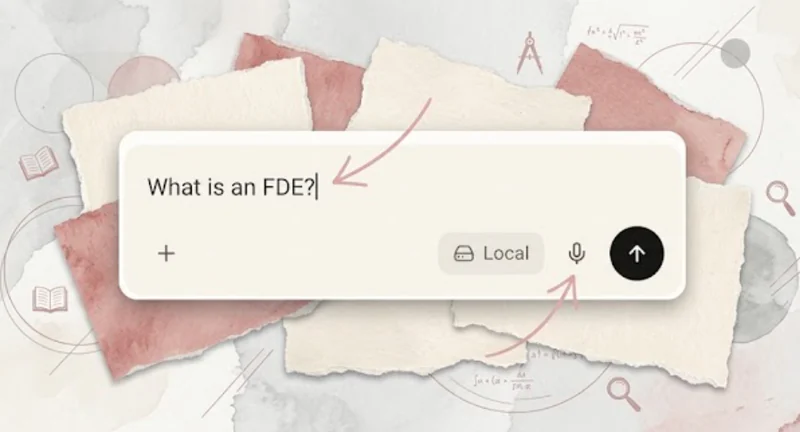
BrainyKit screenshot: the chat input with a typed question, the microphone button, and the Local model badge
chat input — mic ready, running local
voice

Dictate questions with local speech-to-text, and have answers read aloud. Offline, like everything else.
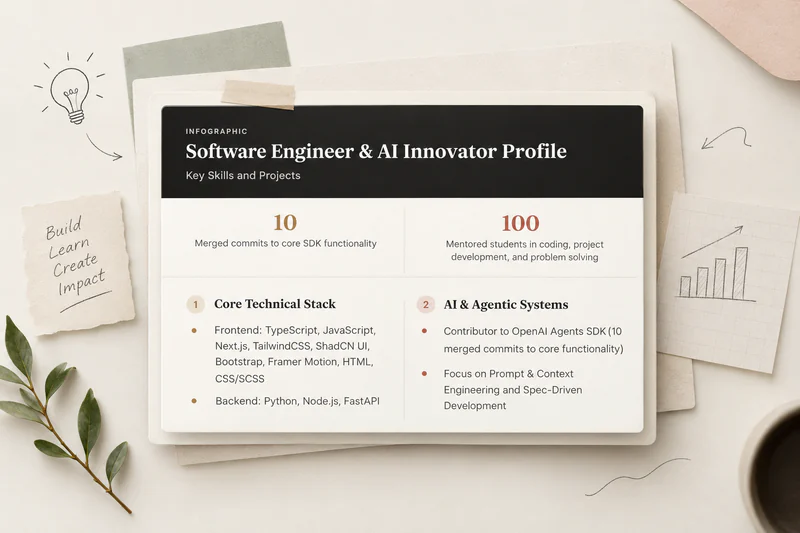
BrainyKit screenshot: an Infographic titled “Software Engineer & AI Innovator Profile” with two headline stats and two sections, Core Technical Stack and AI & Agentic Systems
an infographic built from one profile document

Infographic: your sources distilled into headline numbers and key sections.
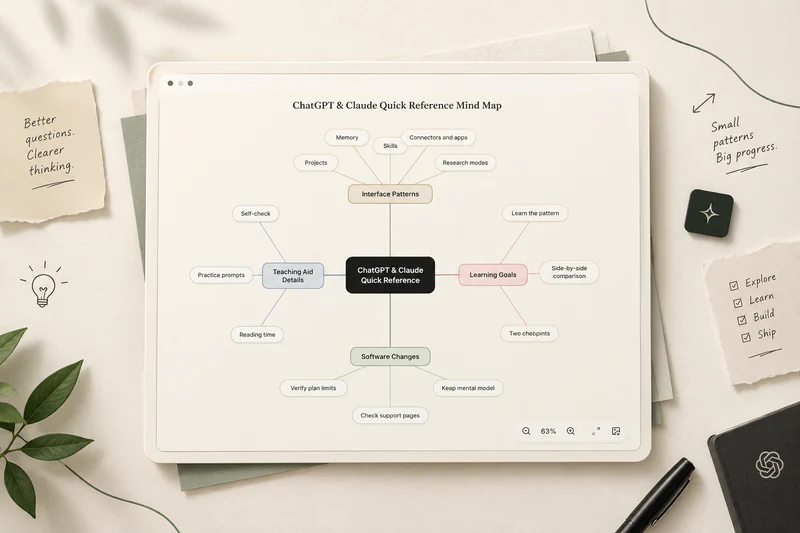
BrainyKit screenshot: a mind map titled “ChatGPT & Claude Quick Reference” with four colored branches (Interface Patterns, Teaching Aid Details, Learning Goals, Software Changes) and zoom controls
a mind map with four color-coded branches

Mind map: the topics and how they branch, laid out around one central idea.
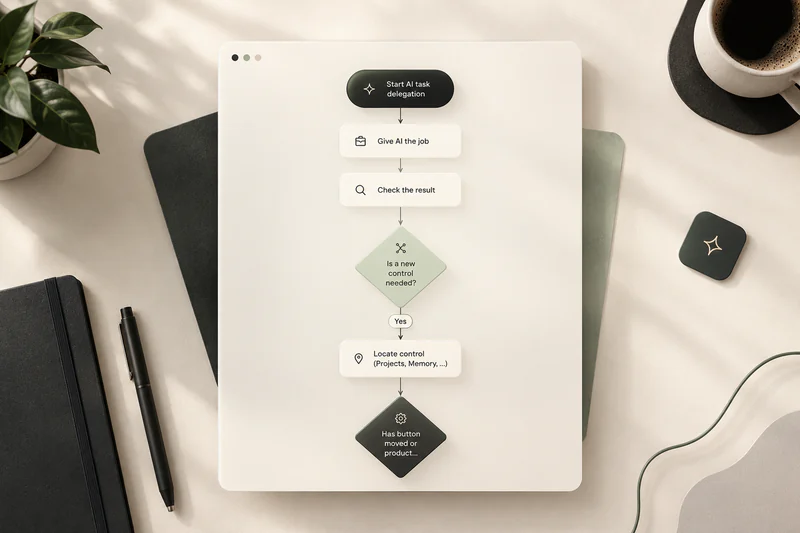
BrainyKit screenshot: a flowchart that starts at “Start AI task delegation” and runs through steps and decision diamonds such as “Is a new control needed?”
a flowchart with steps and decision points

Flowchart: a process turned into clear steps and decision points.
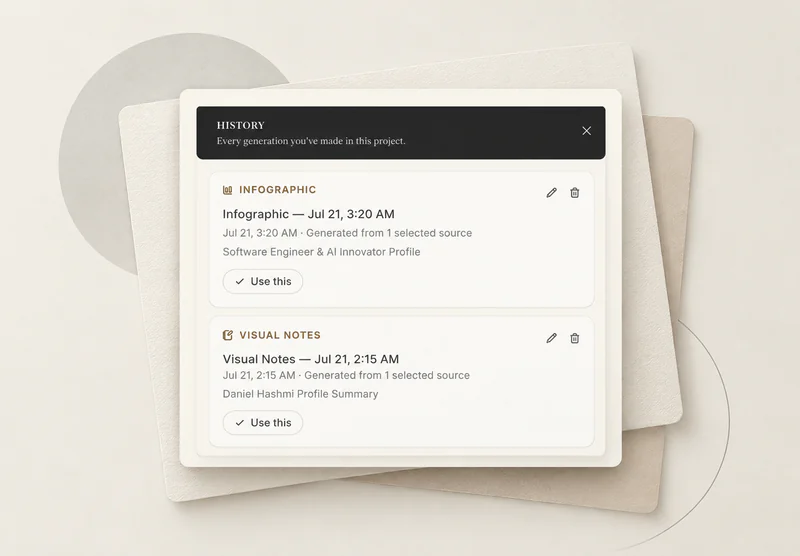
BrainyKit screenshot: the History panel listing an Infographic and a Visual Notes generation, each showing its timestamp and source, with a “Use this” button
the History panel — past generations, one click to reuse

History: every generation saved in the project, ready to reuse or delete.

built-in models (two sizes)
your own model file
your own API (optional)
Download a built-in model — a faster one or a stronger one — and run fully offline.Bring your own local model file if you have a favorite.Or point BrainyKit at an API you already use. Local stays the default;the cloud is opt-in, and the app tells you when you’re using it.

Personas, custom instructions, and light & dark themes — the small things are in there too.

Follow our LinkedIn page and WhatsApp channel for the latest updates.

Coming soon, right here on this website.

it's a beta: expect bugs, and tell us what to fix.

The polished version for everyone, shaped by what you told us.

First release: Windows 10/11 beta · it will be downloadable right here

A note from the author —

Thanks for scrolling all the way down. Before you go, three honest tips:

Start small. Make one project from one folder you actually care about — meeting notes, a contract, your thesis sources. BrainyKit is at its best when the stakes are real.

Click the citations. Every claim points back to a passage; the habit of checking is the whole point of the app.

The first model download takes a few minutes. Make tea. After that, everything — asking, highlighting, dictating — works with the network cable unplugged.

If your sources don’t contain an answer, BrainyKit will tell you so. That’s not a bug. That’s the product.

— the author, still reading with it every day